GTA 6 introduces a refreshed interface with several icons, meters, and contextual indicators. Rockstar’s latest Extended Look gives players the clearest official view of the interface so far. The footage was captured entirely from the PlayStation 5 version.
However, Rockstar has not published a complete icon-by-icon guide yet. Therefore, some smaller symbols are explained through footage analysis rather than official definitions. The game is currently scheduled to launch on November 19, 2026, for PS5 and Xbox Series X|S.
GTA 6 Icons at a Glance
The interface separates important information into different visual areas. As a result, players can quickly check their condition, equipment, location, and police situation.
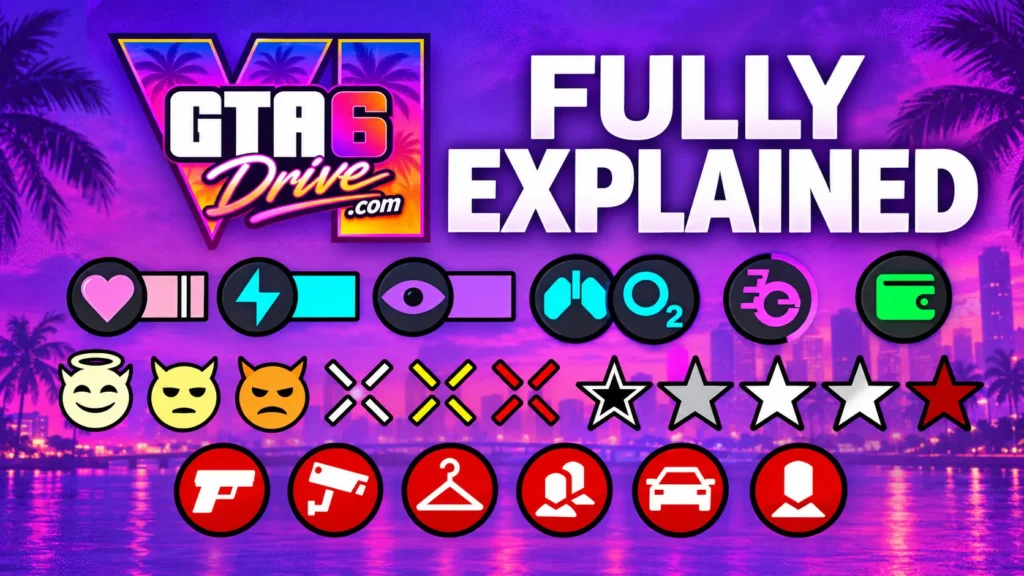
| Icon or Indicator | What It Represents | Where It Helps |
|---|---|---|
| Health indicator | Current health | Combat and dangerous situations |
| Stamina indicator | Physical energy | Running and physical activities |
| Focus indicator | Focus resource | Character abilities and gameplay |
| Weapon icon | Equipped weapon | Combat |
| Ammo display | Current ammunition | Shooting |
| Wanted stars | Police attention | Police encounters |
| Search area | Active police search | Escaping law enforcement |
| Minimap | Nearby world | Navigation |
| Cash indicator | Available cash | Money management |
| Item symbols | Usable equipment | Clothing and equipment |
| Interaction prompt | Available action | World interactions |
Not every symbol has received an official name from Rockstar. Therefore, the table focuses on what the released footage visibly communicates.
Health, Stamina and Focus Icons
The character indicators provide quick information during normal gameplay. Health shows Jason or Lucia’s current condition, while stamina relates to physical exertion. Meanwhile, Focus appears as another separate resource.
These indicators become useful because players can check them without opening another menu. For example, stamina matters during movement, while health becomes important during combat.
The main indicators include:
- Health: Shows the character’s current physical condition.
- Stamina: Tracks physical exertion and energy.
- Focus: Displays the separate Focus-related resource.
Rockstar has shown these elements through gameplay footage. However, exact regeneration rules and numerical mechanics have not been fully explained.
Weapon and Ammo Icons
Weapon information appears separately from other character indicators. The interface shows the equipped weapon alongside ammunition information, allowing players to check their current firepower quickly.
Furthermore, GTA 6 separates weapons from other equipment through its inventory presentation. The WEAPONS and ITEMS categories appear as distinct sections in released footage.
The Items category can include equipment such as:
- Masks
- Glasses
- Caps
- Other wearable clothing or equipment
Therefore, players should not need to search through one large inventory for every type of equipment.

GTA 6 Wanted Stars and Police Icons
The wanted system continues to use stars as a recognizable police indicator. Current footage shows the familiar star-based display during law enforcement encounters.
However, GTA 6 adds more information around police encounters. Smaller indicators can appear alongside the wanted display, suggesting that the police system tracks more than simple pursuit intensity.
| Police Indicator | What It Appears to Show |
|---|---|
| Wanted stars | Current police attention |
| Search area | Area where officers are searching |
| Person information | Details connected with a suspect |
| Clothing information | Suspect appearance details |
| Vehicle information | Vehicle connected with the search |
| Weapon information | Weapon-related identification |
These smaller symbols come from footage interpretation rather than an official Rockstar glossary. Therefore, their exact meanings could receive clarification later.
Minimap and Navigation Icons
The minimap remains one of the most important navigation tools. It shows the surrounding area while helping players understand nearby roads and destinations.
During police encounters, however, the map can provide additional information. Search areas can show where law enforcement is actively looking, which gives players another way to judge their situation.
The minimap can help players with:
- Following routes and destinations.
- Understanding nearby roads and locations.
- Tracking movement around the surrounding area.
- Reading police search areas during pursuits.
- Reacting to changing situations while driving.
As a result, the map becomes useful for both ordinary exploration and high-pressure escapes.
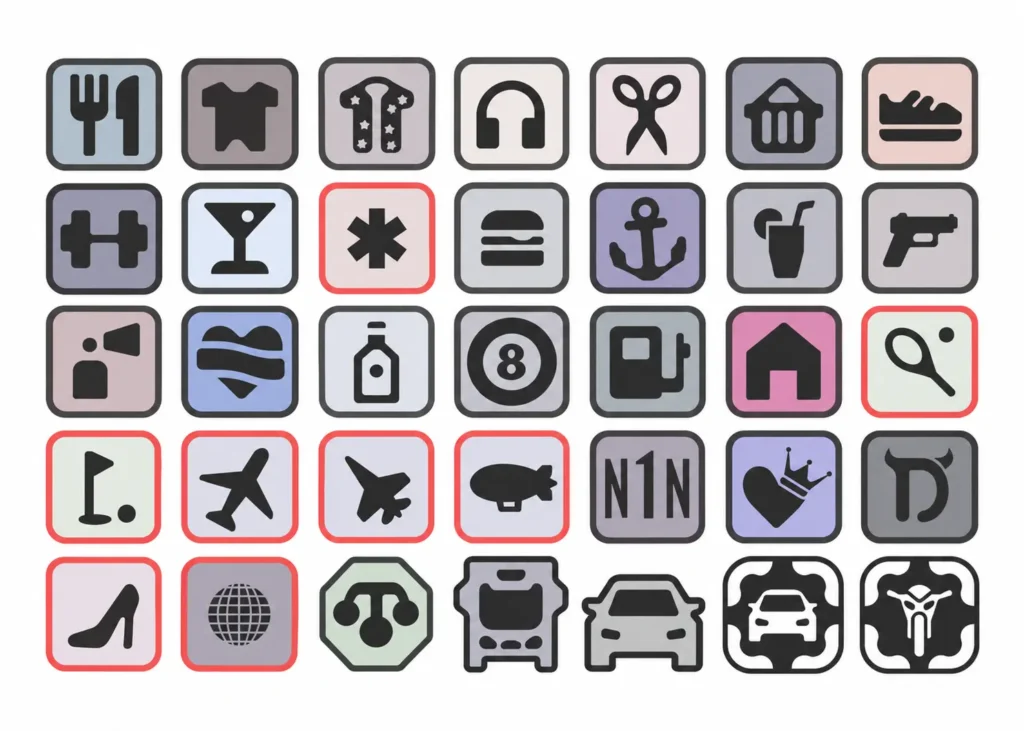
Money and Equipment Icons
Money information is another part of the interface that players can monitor during gameplay. Cash and stored funds can be represented separately, helping players understand their available spending money.
Meanwhile, equipment receives its own visual organization. Instead of mixing every object with weapons, GTA 6 gives items their own category.
Examples of equipment shown in current footage include:
- Masks for certain activities.
- Glasses and other accessories.
- Caps and wearable items.
- Other selectable clothing or equipment.
This approach should make equipment selection easier during missions and free-roam activities.
Contextual Interaction Icons
Some GTA 6 icons only appear when an interaction becomes available. Therefore, players do not need to memorize every possible symbol before playing.
These prompts can change according to the nearby object, person, animal, or activity. For example, the available action can depend on what the character is currently facing.
The system can therefore communicate actions such as:
- Entering or using something.
- Interacting with nearby characters.
- Performing contextual actions.
- Selecting an available activity.
- Responding to objects within the environment.
This keeps the interface focused because unnecessary prompts can remain hidden until they become relevant.
GTA 6 Icons and Gameplay
The biggest change is not simply the number of icons. Instead, GTA 6 appears to make its interface respond more closely to the current situation.
For example, different gameplay moments can emphasize different information:
- Exploration: Navigation and nearby-world information become important.
- Combat: Weapons, ammunition, health, and Focus become more relevant.
- Police pursuits: Wanted stars and search information become important.
- Equipment use: Items and wearable equipment become easier to access.
- Interactions: Temporary prompts appear when actions become available.
Therefore, players should see a more contextual interface rather than a screen permanently filled with information.
Which GTA 6 Icons Are Confirmed?
Rockstar has officially shown many interface elements through its released gameplay footage. The Extended Look confirms that the game uses visible character indicators, weapon information, navigation elements, equipment categories, and police-related displays.
However, smaller symbols should be treated more carefully. Rockstar has not published a complete reference explaining every police or contextual icon.
Recent Game Informer coverage has focused heavily on other GTA 6 systems, including Leonida’s environment, wildlife, and weather. Its September 29 coverage confirms that Rockstar continues to reveal new gameplay details before launch.
So, the safest approach is to separate clearly visible interface features from detailed interpretations.
Final Thoughts
GTA 6 icons provide information about character condition, weapons, navigation, equipment, and police activity. More importantly, the interface appears designed to change according to the player’s current situation.
The main icons are already visible in Rockstar’s released footage. However, smaller symbols still require further explanation before they can receive definitive meanings.
As more official gameplay information arrives, the remaining icons should become easier to identify. Until then, the released footage provides the clearest available look at how GTA 6 communicates important gameplay information.